- Visit http://goworldwind.org/ and do some research about what WW really is and why you should use it.
- Follow the getting started tutorial to get familiar with the examples.
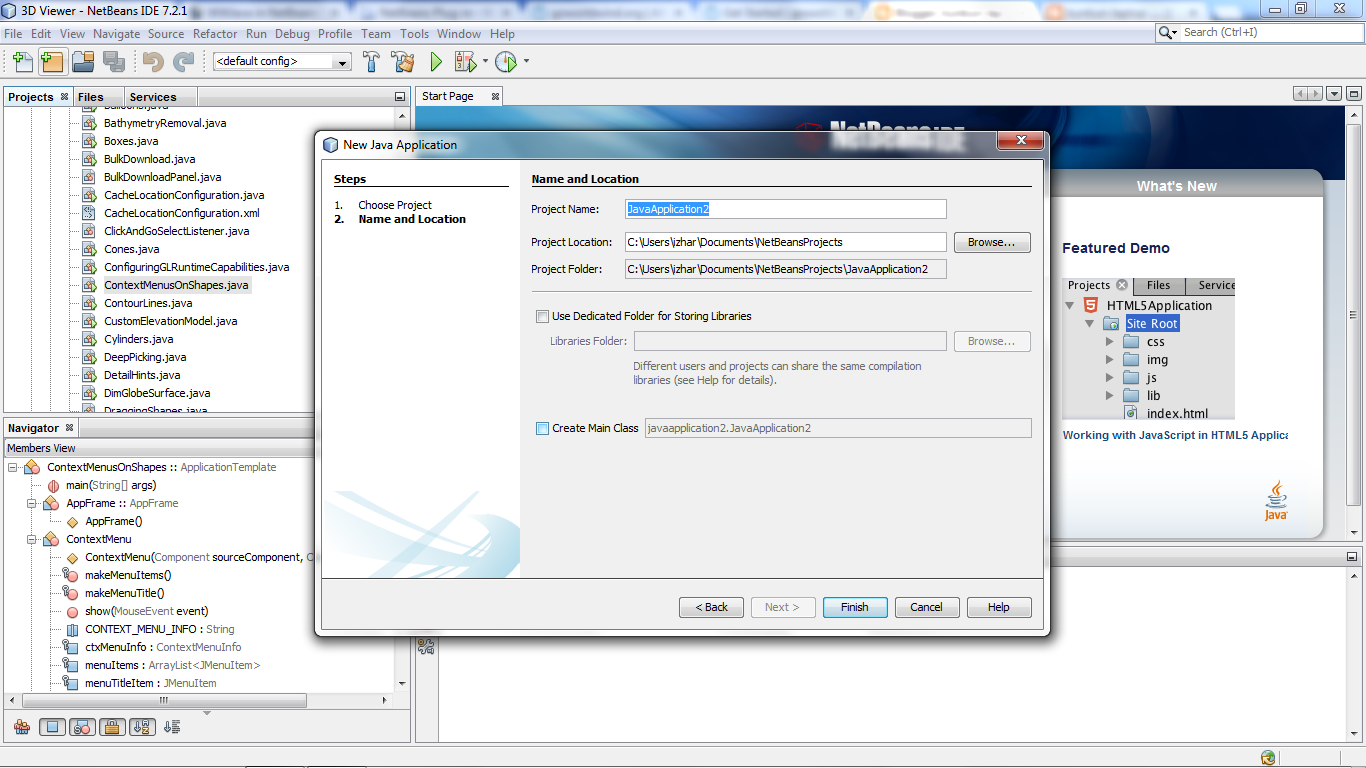
- Open NetBeans and create a New Project using the "Java Application" template. Fill in the required details but uncheck the 'Create Main class' box. Your new project should reside in a clean directory.
- In the src you downloaded from the release site and extracted, rename WorldWind's'build.xml' to something else (build_ww.xml) and copy all the WorldWind's unzipped content to your NetBeans project folder so that the src folders overlap. You should end up with a folder structure very similar to the WorldWind unzipped folder, plus a'nbproject' and a 'test' folders. The 'build.xml' file is the one created by NetBeans, not the one that came with the zip (which is why we renamed it earlier).
- From NetBeans, you will notice that some folders/classes are marked with a red exclamation mark. We now need to tell the project about the required libraries. Right-click your project's node and select 'Properties' (typically the last menu item). Select the 'Libraries' node from the Categories tree and press the 'Add JAR/folder' button on the right. Keeping CTRL down, select the 'gluegen-rt.jar','jogl.jar', 'gdal.jar' and 'plugin.jar' that are now inside your project folder. Click 'ok'.

- You can now run any of the examples by right-clicking them and selecting 'Run File' from the contextual menu.

Thanks. ;) http://forum.worldwindcentral.com/showthread.php?t=32347

